Gelato Chord · for iPhone
Chords under your thumb
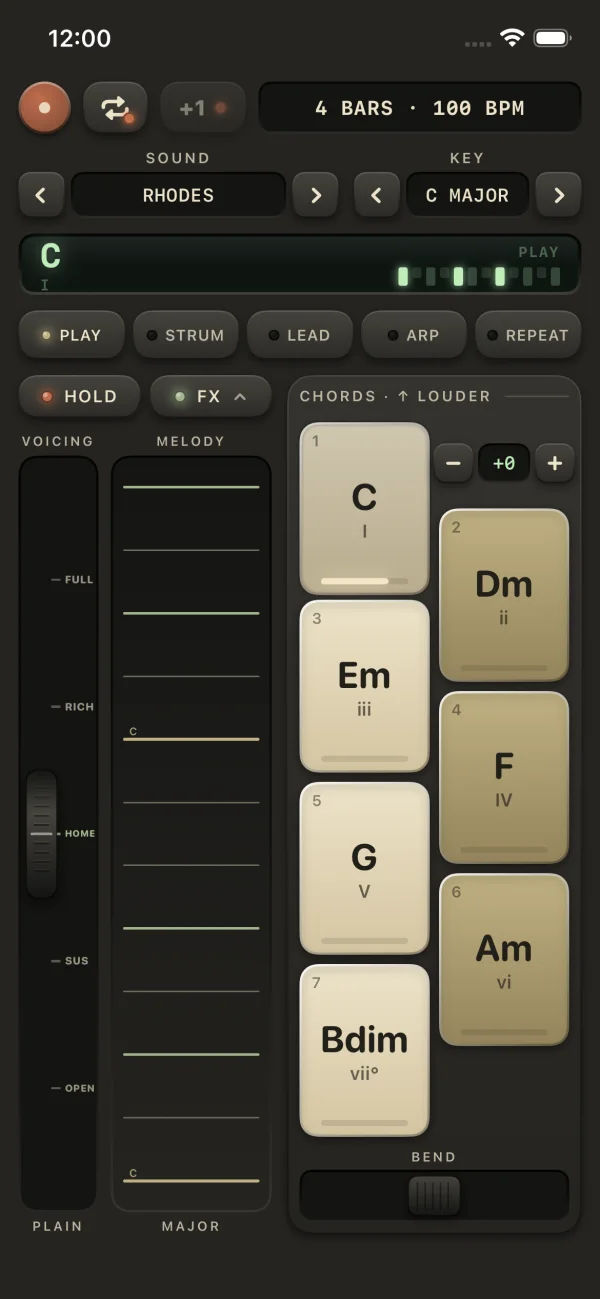
Gelato Chord is a pocket chord instrument. Seven keys always play the right chords for your key, a plate of strings carries the melody, and a wheel adds color to whatever you hold. There is nothing to program. Pick a sound and play.
Free to play. $4.99 once for the full instrument. No ads, no account.
The keys
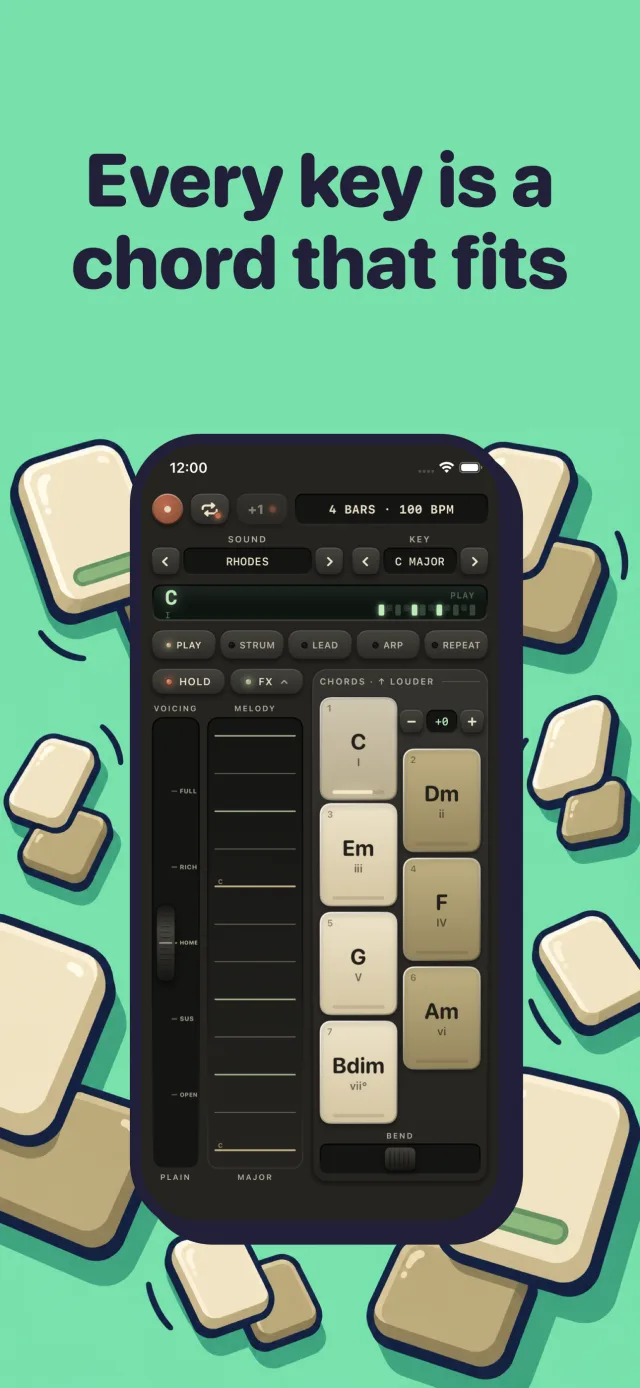
Every key is a chord that fits
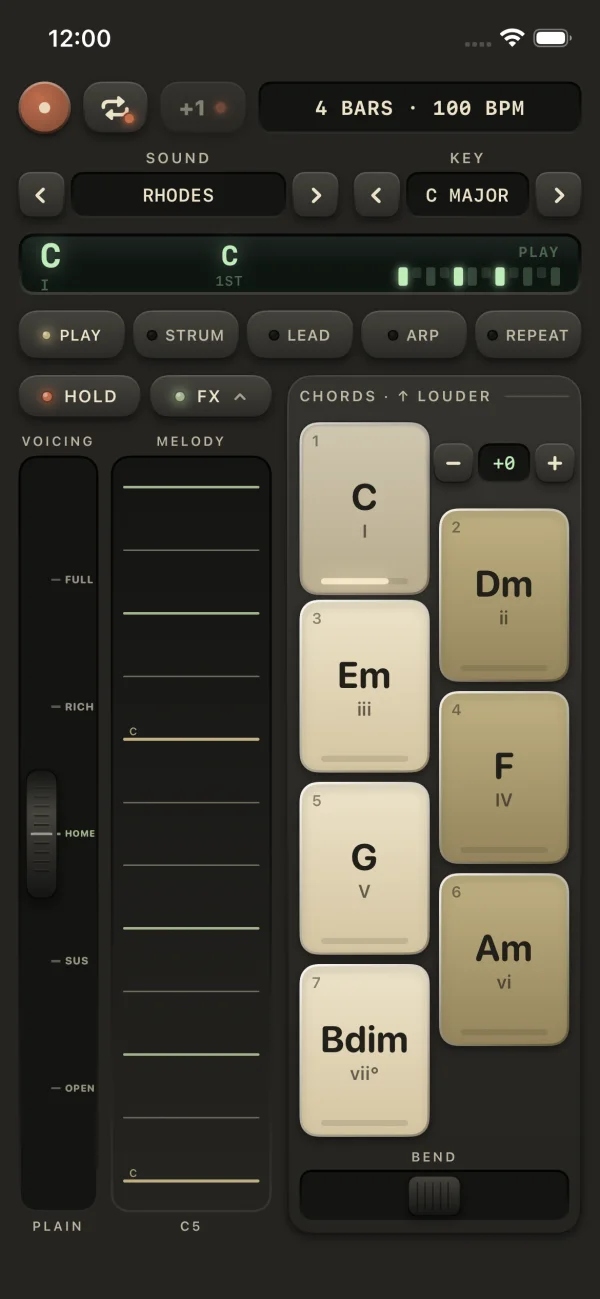
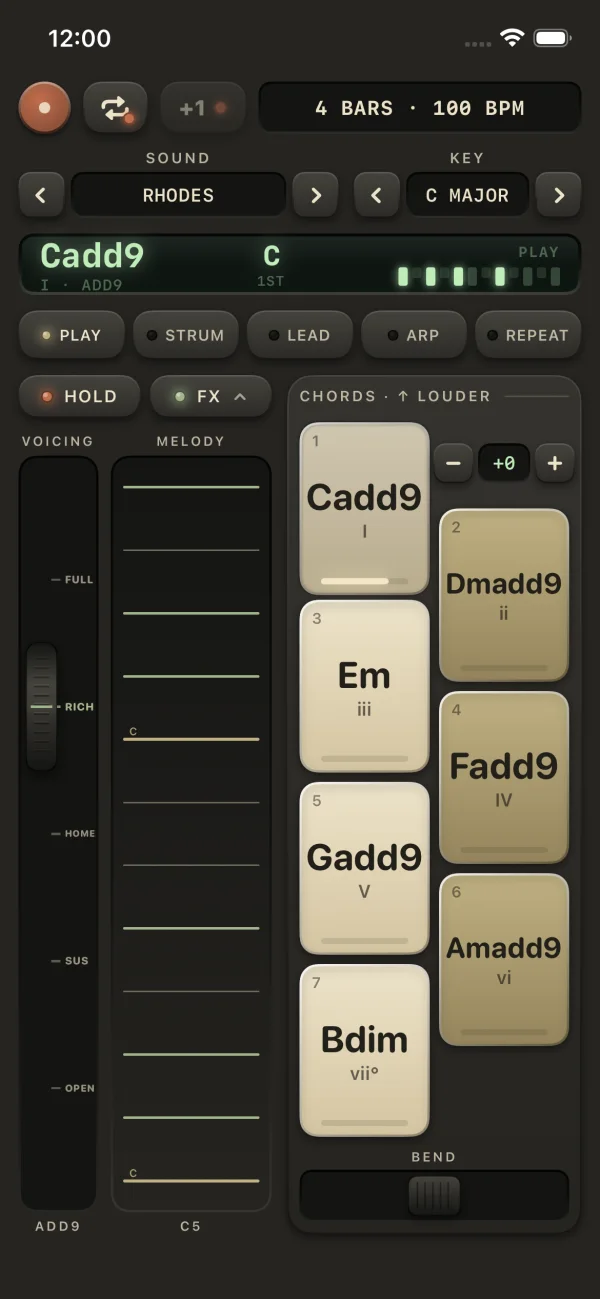
Pick a key and a scale and the seven keys become its seven chords, I to vii°, with the chord name on every cap. Play them in any order and it sounds like a song, because every one of them belongs.
Press near the top of a key for a louder chord and near the bottom for a softer one. Slide from key to key and the chords move the shortest way, the way a good keyboard player's hands would. Ten scales, triads or 7ths, and an octave range from one down to two up.
Want to see the chords first? Every key, with chords you can play.
The melody plate
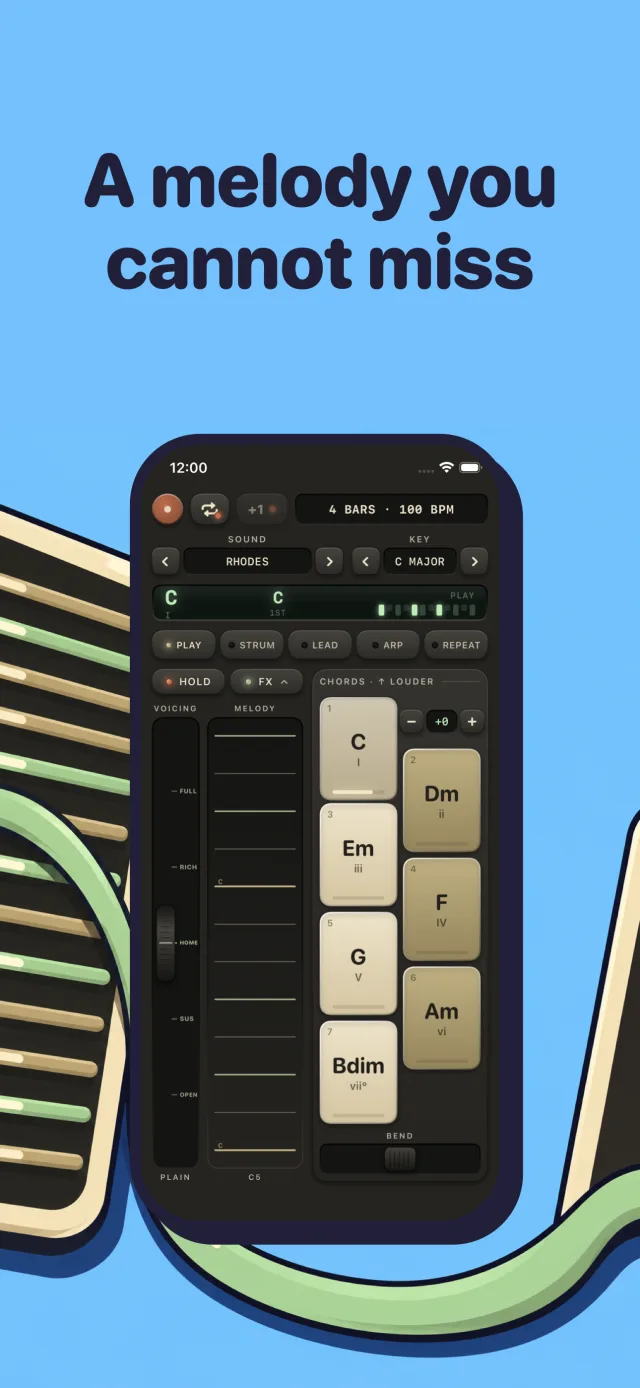
Strings that can't hit a wrong note
The strip of strings beside the keys carries the notes of your key, and the ones inside the chord you're holding light up. Sweep a thumb across for a harp run (faster is louder), or tap one string at a time for a melody.
Under the keys sits a sprung bend strip. Push it and everything sounding bends up to a whole tone, then springs home when you let go.
The voicing wheel
Turn up the color
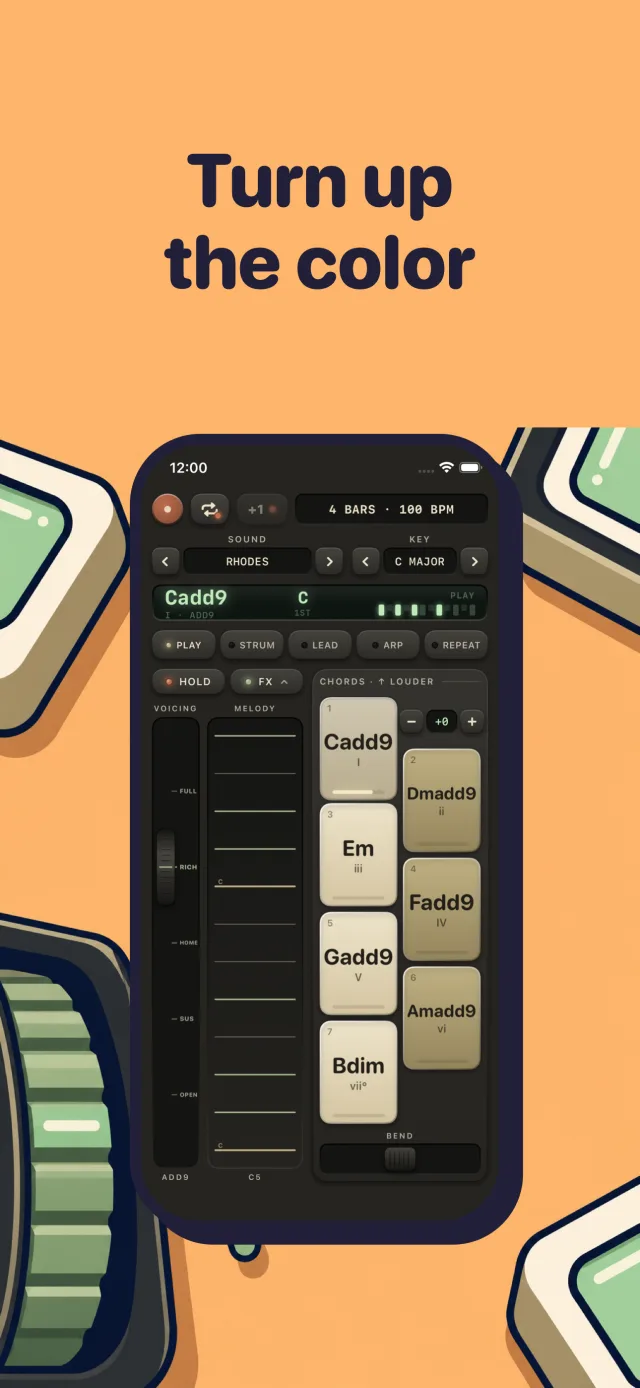
The wheel never changes which chord you are on. It changes how much of it you hear. Push it up from Home through Rich to Full and the chord gathers extra notes, the 7ths and 9ths that make a chord sound expensive. Pull it down through Sus to Open and the chord airs out.
The bass stays put the whole time, so the wheel colors the harmony without breaking it. The display names whatever chord you have made.
Five ways to play
Same keys, five instruments
Play
Hold a key, hear the chord. Free.Strum
Each chord rolls like a guitar or a harp, slow, medium or fast.Lead
One note per key for basslines and melodies.Arp
The chord broken into a pattern, locked to the tempo, with swing.Repeat
The whole chord pulses in time.
Plus Hold to latch a chord, and an FX drawer with reverb, a tempo-synced delay, chorus and Sub, a bass note under every chord.
59 sounds
A real Rhodes in your pocket
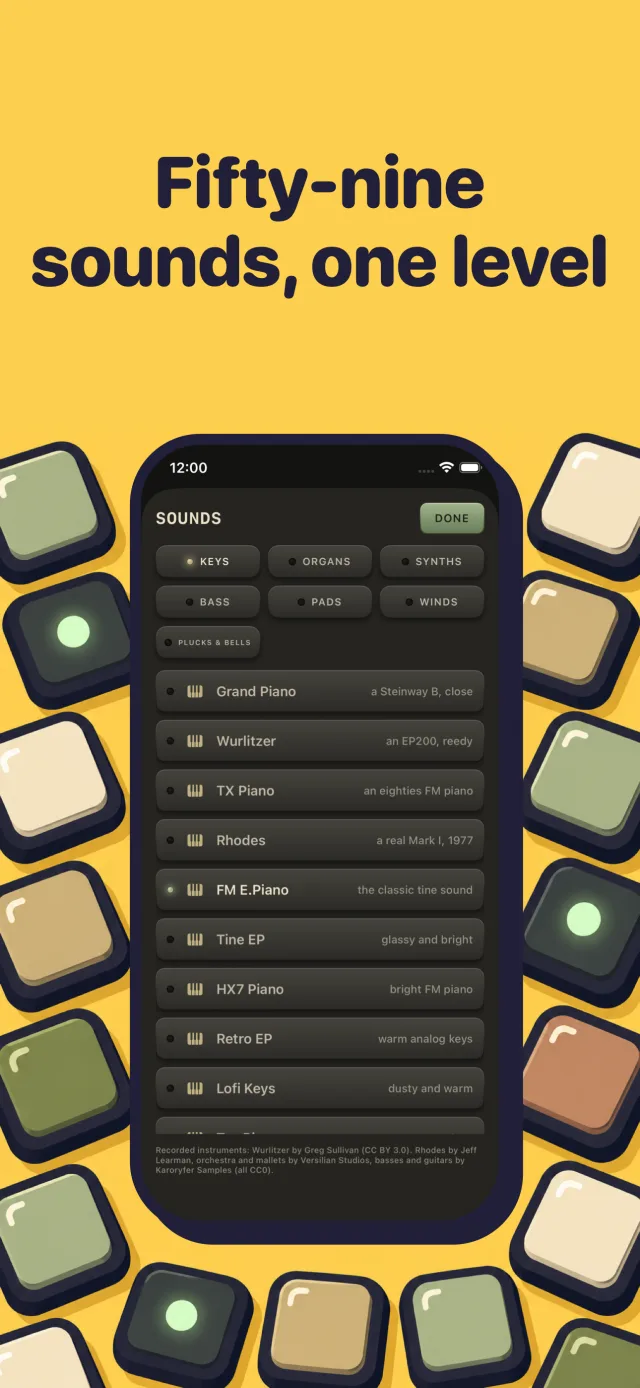
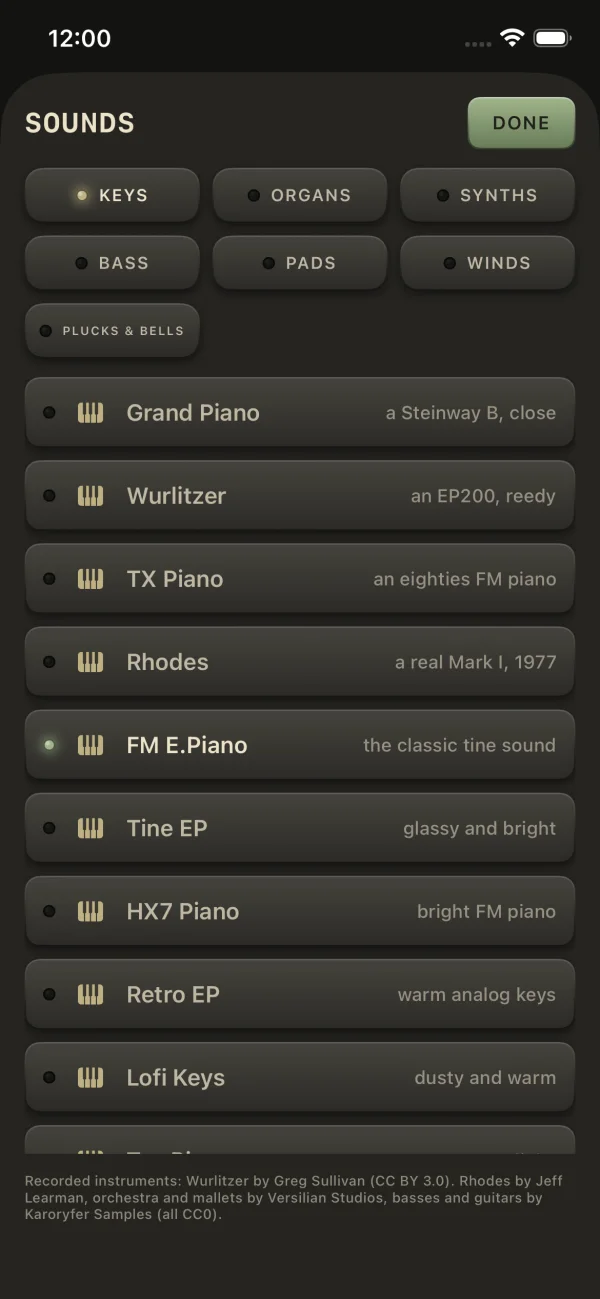
Twenty-four of the sounds are recordings of real instruments: a 1977 Rhodes, a Wurlitzer, a Steinway grand, a violin section, a concert harp, a vibraphone, a church organ, a tenor sax and more. The rest are FM synths, basses, organs and pads that only a synth can make.
Every sound is measured and matched in loudness, so stepping through the list never jumps in volume.
Loops
Loop a groove, layer a song
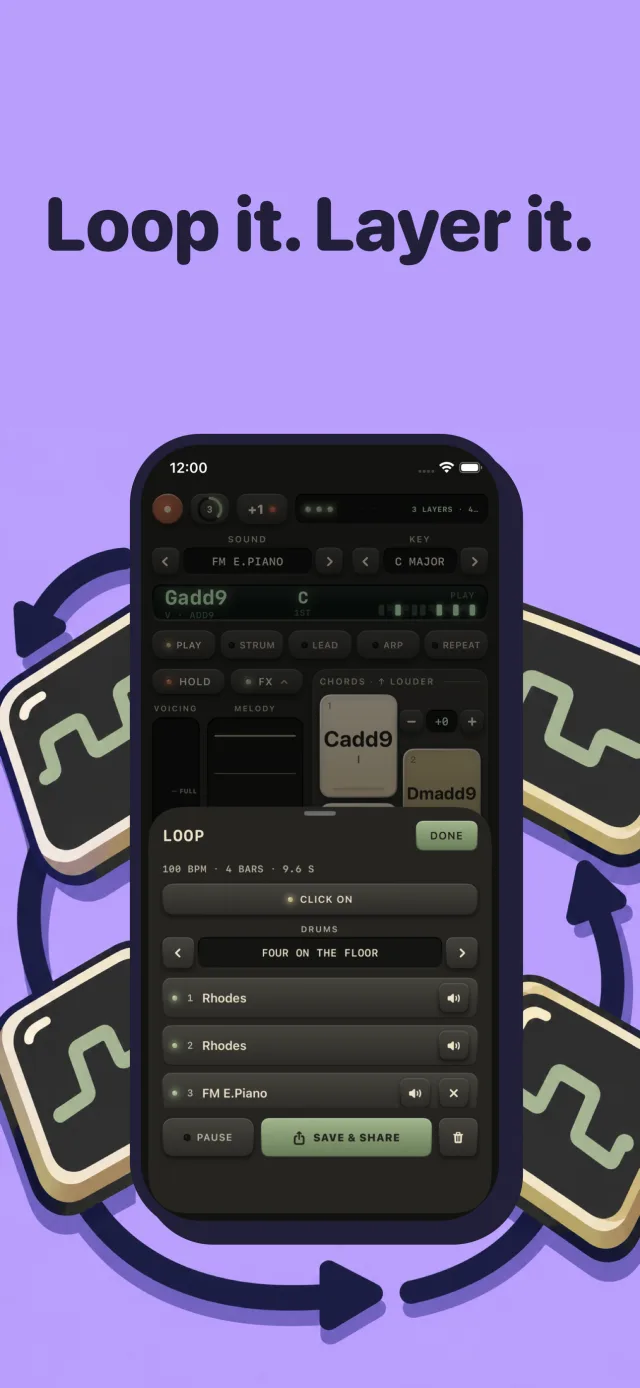
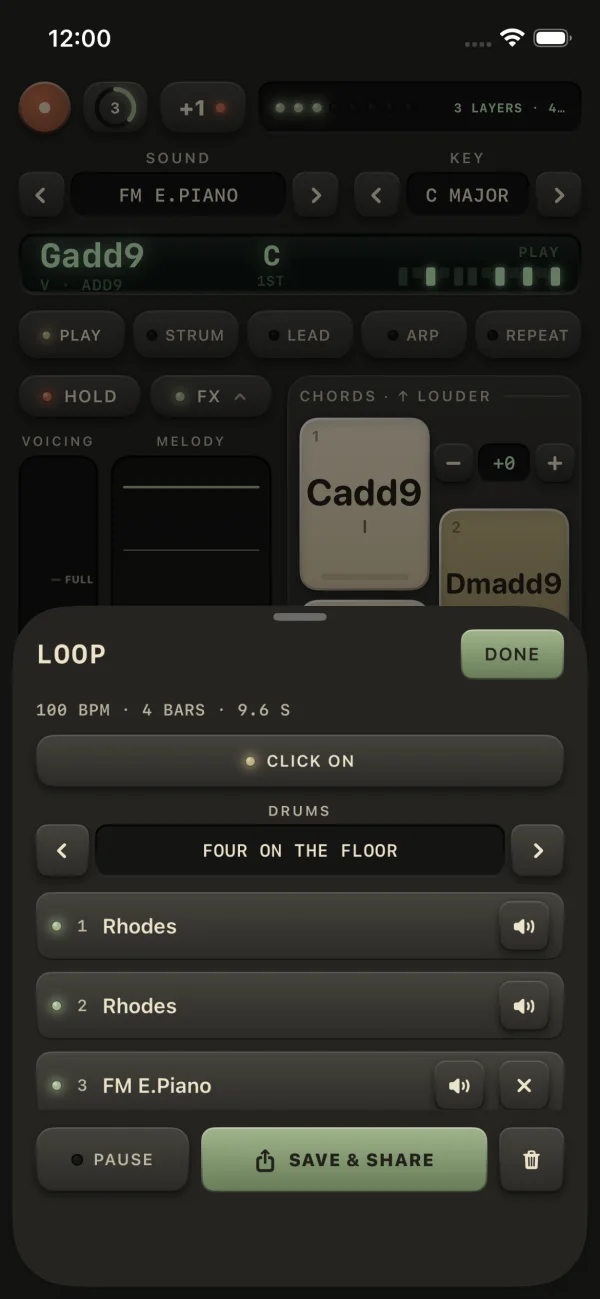
Set a tempo (or tap it), pick a length and a drum groove, and record a pass after one bar of count-in. Then tap +1 and play another layer on top with a different sound or mode: a strummed Rhodes, then an arpeggiated harp, then a bassline in Lead. Up to eight layers.
Each groove brings its own drum machine, an 808 for boom bap, a 909 for four on the floor. Leave the app and the loop is still there when you come back.
Pricing
The whole instrument is free to play
Free
$0
- Play mode with the keys, plate, wheel and bend
- Every key and all ten scales
- Grand Piano, Rhodes and Saw
- Quick record and share
The full instrument
$4.99 once
- Strum, Lead, Arp and Repeat
- The loop recorder with drum grooves
- All 59 sounds
- Yours forever, no subscription
No ads, no account. Prices outside the US are set by Apple.
Questions
Is Gelato Chord free?
Yes. The whole instrument works for free in Play mode: the keys, the melody plate, the wheel, the bend strip, every key and scale, quick record, and three sounds (Grand Piano, Rhodes and Saw). One $4.99 purchase adds Strum, Lead, Arp and Repeat, the loop recorder, and all 59 sounds. No subscription.
Is it like an Omnichord or a HiChord?
It borrows the best ideas from both. Like the HiChord, the keys always play the right chords for your key. Like the Omnichord, there is a strip of strings for the other thumb, so you can strum and play melodies over the chord. It is an iPhone app, so it fits in your pocket and costs a lot less.
Do I need to know any chords?
No. Choose a key and the seven keys become its seven chords, named on the caps. Any order sounds good, and the chords glide into each other the way a good player's hands would.
What sounds does it have?
Fifty-nine, from real recorded instruments (a 1977 Rhodes, a Wurlitzer, a Steinway grand, strings, a concert harp, vibraphone, a tenor sax and more) to FM synths, basses, organs and pads. Every sound is matched in loudness, so switching never makes you reach for the volume.
Can I record what I play?
Yes. Record captures everything to an audio file and opens the share sheet; recordings also land in the Files app. With the full version you can build loops over a drum groove, up to eight layers, each with its own sound and mode.
Does it need the internet or an account?
No. Gelato Chord never connects to the internet, has no account and no ads, and collects nothing.
Learn chords
More about chords
10 Chord Progression Apps for iPhone That Play the Chords
10 iPhone apps that play chord progressions out loud: generators like Suggester 2, backing bands like iReal Pro, and chord pads like GarageBand's.
CHORDS10 Sad Chord Progressions, and Why They Work
Ten sad chord progressions in minor and major keys, from Am F C G and the Andalusian cadence to the minor iv, with tempos, guitar shapes and why they work.
SONGWRITING12 Best Songwriting Apps for iPhone, From Idea to Demo
12 best songwriting apps for iPhone, sorted by step: Voice Memos for ideas, Suggester 2 for chords, Rhymer's Block for lyrics and GarageBand for demos.
GEAR6 Easiest Instruments to Play Chords, Ranked for Beginners
The easiest instrument to play chords on has chord buttons. Six instruments ranked by time to a first song, with 2026 prices and C, G, Am, F shapes.
GEAR6 Types of Electric Piano Sounds: Rhodes, Wurlitzer, DX7 and More
The six types of electric piano sound, from Rhodes and Wurlitzer to the DX7, CP-70, Pianet and Clavinet: how each works and how to tell them apart by ear.
PARENTS7 Best Synths for Kids, From First Toys to a Real First Synth
The best synths for kids by age: Blipblox SK2 and Dato DUO from age 3, pocket synths under $100, the Yamaha reface CS for 8 and up, and an iPhone app.